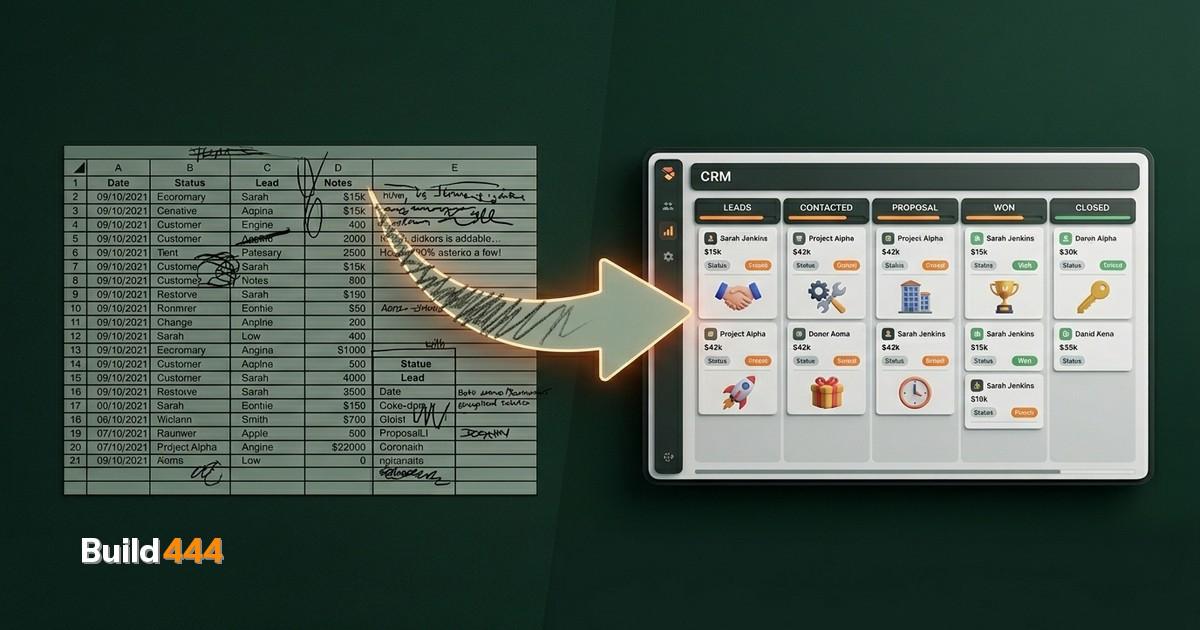
You started with a spreadsheet. Everyone does.
One tab for leads. Another for deals in progress. A third for clients. Maybe a fourth for "follow up later" that nobody ever checks.
It works. For a while.
Then you hit 50 contacts. Or a second salesperson joins. Or a lead goes cold because nobody remembered the follow-up. Or you spend 20 minutes searching for a phone number that should be two clicks away.
The spreadsheet did not fail you. You outgrew it. That is a good problem. It means the business is working.
But what happens next if you do not fix it: deals slip. Revenue leaks. And you start blaming people for a systems problem.
I have seen this pattern dozens of times. The fix is not "be more organized." The fix is moving to a CRM before the spreadsheet costs you more than you realize.
What a CRM actually gives you (that a spreadsheet cannot)
Let me be specific. This is about the four things that break first.
Pipeline management that updates itself
In a spreadsheet, moving a deal from "proposal sent" to "negotiating" means finding the row, changing a cell, maybe updating a date column if you remember. In a CRM, you drag a card. Every change is timestamped. Every stage has clear entry criteria. Your sales pipeline automation runs without you babysitting it.
Follow-up reminders that actually work
A spreadsheet does not ping you when a lead has gone quiet for 7 days. A CRM does. It can also send the follow-up email for you. This alone recovers more lost deals than any sales training.
Email automation tied to deal stages
When a proposal is sent, the CRM can queue a check-in email for 3 days later. When a deal closes, it can trigger an onboarding sequence. When a lead goes cold, it can start a re-engagement campaign. None of this is possible in Google Sheets.
Reporting that does not require manual counting
"How many deals did we close last quarter?" In a spreadsheet, that is a pivot table you have to rebuild. In a CRM, it is a dashboard that updates in real time. Revenue by source, conversion rate by stage, average deal cycle. CRM pipeline management gives you answers without asking you to calculate them.
That is business process digitization in practice. Moving from "I think we are doing fine" to "I can see exactly what is happening."
Want to know where your website stands?
Get your full site analysis →Custom CRM development vs. off-the-shelf (the honest comparison)
Most advice gets this wrong. People either say "just use HubSpot" or "build everything custom." Both are lazy answers.
When HubSpot (or Pipedrive, or Salesforce) makes sense:
You have a standard sales process. Your team is under 10 people. You do not need integrations beyond email and calendar. You want to be up and running this week. You are fine paying per-seat fees that scale with headcount.
HubSpot's free tier is genuinely good for getting started. But the moment you need custom reporting, advanced automation, or more than basic pipeline views, you are looking at $800-3,600/month. That is the HubSpot alternative conversation nobody has early enough.
When custom CRM development makes sense:
Your sales process does not fit standard templates. You need deep integration with other systems (ERP, project management, custom databases). You have industry-specific requirements. You operate in multiple countries with different workflows. Or you simply refuse to pay per-seat fees that punish you for growing.
A custom CRM built on open-source foundations (Twenty, SuiteCRM, or a headless approach) costs more upfront but nothing per seat, per month, per feature. You own the data. You control the roadmap.
What we learned building CRMs for 5+ years:
Our longest CRM engagement is TITAN Containers. Five years. Twenty-seven countries. Their sales team went from tracking containers in spreadsheets to a full CRM pipeline management system with automated lead routing, country-specific workflows, and real-time reporting dashboards.
The result: 6x growth in qualified leads over 3 years. Not because the CRM was magic. Because the team stopped losing leads in spreadsheets and started following a process that the system enforced.
That project taught us something important: the CRM is never the hard part. The hard part is mapping the actual sales process before you build anything. If you skip that step, you just end up with an expensive spreadsheet that has a nicer interface.
How to choose a CRM (the decision that actually matters)
Stop comparing feature lists. Nobody switched CRMs because of a feature. People switch because of pain. The decision based on your actual situation:
If you have under 20 contacts and one salesperson: Stay on your spreadsheet. Seriously. You do not need a CRM yet. Use the time to document your sales process instead. When you do switch, you will migrate in an afternoon.
If you have 50-500 contacts and a small team: Start with an off-the-shelf tool. HubSpot free, Pipedrive, or Close. Get your pipeline stages defined. Learn what reporting you actually look at. This phase costs you $0-50/month and teaches you what you need.
If you have 500+ contacts, multiple salespeople, or complex workflows: Evaluate whether the off-the-shelf tool still fits. If you are paying over $500/month and still exporting to spreadsheets for the reports you actually need, it is time to talk about custom CRM development.
If you operate across countries or industries with different processes: Go custom from the start. Trying to force a multi-country sales operation into a standard CRM is like using a spreadsheet with extra steps. We have done this enough times to know.
The migration playbook (5 steps, no drama)
Moving from spreadsheets to a CRM does not have to be a 6-month project. This is how we do it:
Step 1: Audit what you actually track
Open every spreadsheet, every tab, every "notes" column. Write down which fields matter and which are junk. Most businesses track 40 columns but only use 12. Kill the rest.
Step 2: Map your pipeline stages
Write down every step a deal goes through, from first contact to closed. Be honest. If your real process has 4 stages, do not create 8 because it looks more sophisticated. The CRM should match reality, not aspirations.
Step 3: Clean your data
Deduplicate. Standardize company names. Remove contacts who have not engaged in 2+ years. This is the step everyone skips and then complains that their CRM is messy. Garbage in, garbage out. Budget half a day for this.
Step 4: Import and configure
Every CRM supports CSV import. Map your spreadsheet columns to CRM fields. Set up your pipeline stages. Create your first dashboard. This takes a day, not a month.
Step 5: Automate the follow-ups
This is where the ROI hits. Set up email sequences for new leads. Create task reminders for stale deals. Build a weekly pipeline report that sends itself. Sales pipeline automation turns your CRM from a database into a revenue engine.
We covered the automation side in depth in our post on how we automate business processes. The same principles apply to CRM workflows.
What this looks like when it works
Real numbers from CRM implementations we have done:
Average results across our CRM projects: 40% reduction in lead response time. 25% increase in deal conversion rate. 6+ hours per week saved on reporting. Zero deals lost to forgotten follow-ups.
The TITAN Containers engagement is the extreme case: 27 countries, 5 years, 6x lead growth. But even a straightforward implementation for a 5-person sales team typically pays for itself within 60 days.
The pattern is always the same. A CRM does not close deals. It makes sure deals do not fall through the floor. When every lead gets followed up, every deal gets tracked, and every salesperson can see the full picture, the numbers move.
Stop losing deals to a spreadsheet
Your spreadsheet worked. Past tense. It got you here. That is worth respecting. But it cannot get you where you are going.
The business that runs on spreadsheets has a ceiling. The business that runs on a CRM that matches its actual process does not.
If you are not sure whether a CRM makes sense yet, start with the data: how many leads did you lose last quarter because nobody followed up? If you do not know the answer, that is the answer.
We build CRMs for businesses that have outgrown their spreadsheets. Check out our CRM services to see what that looks like, or grab an SEO audit report if organic search is the more urgent problem.
Free: 47-point SEO audit checklist
The same checklist we use on every client site. Download the PDF and audit your own site today.
Get the free checklist →